Google allows businesses to share a review link or QR code. Its guidance is equally clear that reviews must reflect a genuine experience, and that incentives for reviews are prohibited. A dependable routine is therefore simple: do good work, ask customers fairly, make the route easy, and respond thoughtfully to what comes back.
This guide focuses on the full routine. For ready-to-send wording, use these Google review request templates. For a printed scan route, see the Google review QR code guide.
Start with a review path that actually works
A customer should not have to search for your business, choose between similar names, and hunt for a review button. That extra effort is where a good intention usually disappears. Set up one direct route that opens the correct Google Business Profile review form, and use that same approved route wherever you ask.
Google explains how to create a shareable review link or QR code from a Business Profile: select Read reviews, then Get more reviews. On a computer browser, you can also download the QR code. Google says that link can be shared in email, WhatsApp, a Facebook post, on a receipt, or as a displayed QR code.
Before anyone else uses it, open the link in a fresh browser and on another phone. Check the business name, address, and location. This matters most for businesses with more than one location. A customer who had a good experience at one branch should never arrive at another branch’s review form by mistake. Keep a clearly named source of truth for every location’s link, not a collection of old links saved in personal messages.
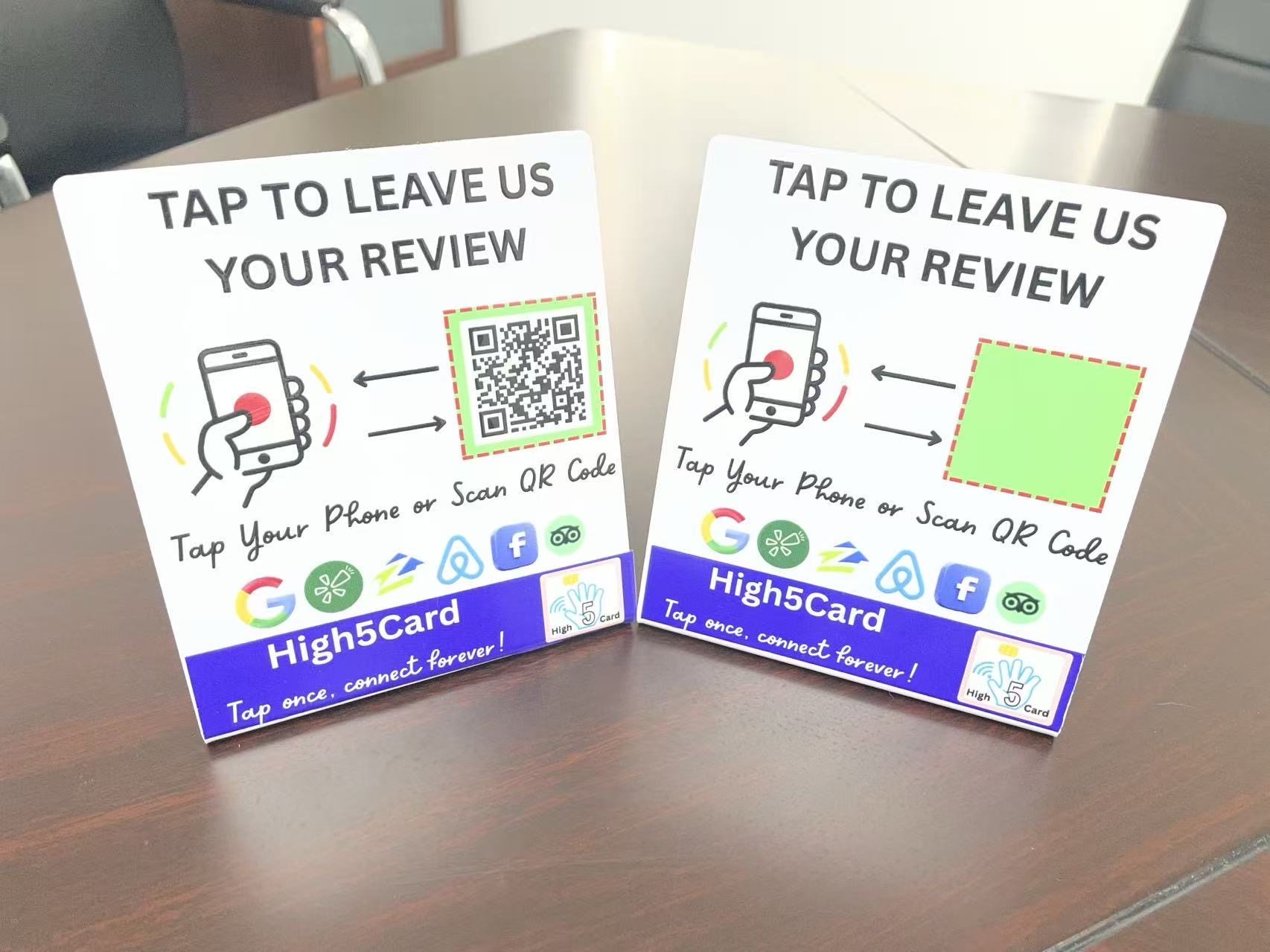
If you are putting the route on a physical item, test the finished item too. A review tap card, printed code, receipt, and follow-up text can all use the same destination. They are different ways to make the next step available, not different review systems.
Ask at the moment the customer can answer honestly
There is no universal number of hours that works for every business. The useful moment is after the customer has experienced the outcome you are asking them to describe. A café may make a quiet invitation as the visit ends. A repair business may wait until the customer has used the repair. A retailer may include the route in a follow-up once the order has arrived.
Keep the invitation short: thank the customer, invite an honest review, and show the one route. You do not need to explain why you deserve five stars or give a speech about how much reviews matter. An invitation such as, “Thanks for choosing us. If you would like to share your experience, here is our Google review link,” leaves room for a real decision.
In person, say it once and move on. Do not stand beside a customer while they unlock a phone or wait for them to finish. Google’s policy guidance says businesses should not pressure people to leave a review on the premises. A tap card, a counter stand, or a small sign can keep the route visible while preserving that breathing room.
For the exact words across text, email, receipts, package inserts, and a quick in-person handoff, use the review-request template guide. Choose one or two channels that already fit how your customers hear from you. A sudden message on a channel you never normally use can feel less personal than a simple note sent through the normal follow-up.
- FinishLet the customer experience the completed service or purchase.
- InviteOffer one optional invitation to share an honest review.
- Make it easyGive them one tested link, QR code, or tap route to use when ready.
Invite customers fairly, not only the ones you expect to praise you
The safest review routine is also the one customers can trust. Ask customers who genuinely used your business, using a consistent trigger such as a completed appointment, an order delivered, or a service finished. Do not use a survey or private feedback form to decide who gets the Google link. Do not ask only people who look delighted.
Google’s review guidance says to value honest and balanced feedback. The Federal Trade Commission’s guide to soliciting online reviews likewise advises businesses not to request reviews only from people they expect to be positive. Those are good customer-service principles, not just rules to memorise.
When someone has a concern, handle the concern first. Listen, make a fair effort to solve the problem, and follow through. A review invitation is not a substitute for a useful resolution. If you later send your standard invitation to every completed customer, that is different from trying to steer an unhappy person away from public feedback.
- Ask for an honest review, not a five-star review.
- Use the same basic trigger for all genuine customers.
- Do not ask people to mention a staff member, a specific service, or a phrase.
- Do not have staff, friends, or family post reviews that do not reflect a real customer experience.
Remove friction without removing customer choice
The best review route is easy to find, easy to understand, and easy to leave alone. A direct Google link is useful in a text or email. A QR code works well on a receipt, package insert, or sign where a customer may choose to act later. An NFC card or stand can make the same route available at a counter without making someone type an address.
Each option needs a clear label. “Leave an honest Google review” is more useful than a mysterious QR code or an unexplained tap symbol. If you offer both a QR code and an NFC tap, test them separately. If they lead to different places, say so plainly. The Review Tap Stand guide shows how a tap and a scan can use the same destination or two distinct ones without confusing the customer.
Give people a fallback. Some phones may not read a tap because NFC is unavailable, turned off, blocked by a case, or tapped in the wrong place. A visible QR code or a follow-up link gives that customer another way to choose. The point is not to trap every person in the same interaction. It is to make the correct option available when they want it.
Do not assume a physical review tool creates a review automatically. It only opens the page you provide. The customer still controls whether they sign in, what they write, and which rating they choose. That clear boundary makes the handoff more comfortable for everyone.
Never pay for, trade for, or steer a review
A discount, free item, prize draw entry, loyalty reward, or special treatment in exchange for a review is not a shortcut worth taking. Google’s policy says that offering free or discounted goods or services for reviews, review changes, or review removal is prohibited. The invitation must stand on its own.
Avoid softer versions of the same idea. Do not promise a reward after a positive review, tell someone you will enter them into a giveaway, or offer a deal beside the review request. Do not ask people to post before they leave the counter. Do not request a particular rating, and do not use a private satisfaction check as a gate that only sends happy people to Google.
There is a practical reason to keep the line clean. Review systems work when people believe the feedback is real. A mix of experiences can help future customers set sensible expectations, while a calm, specific business reply can show how you handle feedback. Google recommends professional, relevant, and personalised replies rather than repetitive promotional messages.
If your team needs a simple rule, use this one: the tool can make the destination easy to reach, but it must never decide who should speak or what they should say.
- OpenUse a fresh browser or another phone to open the link.
- MatchCheck the correct business name and location appear.
- Keep currentTest again after a move, profile change, or new printed item.
Make the routine easy for your team to repeat
Consistency beats an occasional push. Write down one clear trigger, one approved line of wording, and one checked destination for each location. That gives every team member the same simple pattern: finish the customer handoff, make one optional invitation, share the route, and move on.
For a service business, the trigger might be a job marked complete. For a salon or café, it may be the natural close of the visit. For ecommerce, it could be a short, routine follow-up after delivery. Pick a moment that makes sense for the customer experience, then use it consistently. Your team should not have to guess which customers are “review material.”
Keep a short monthly check too. Open each location’s link, scan any printed QR code, and tap every active NFC tool with a compatible phone. Replace worn signs, remove old links, and update the destination if a business moves or a profile changes. These small checks protect the customer experience better than sending more reminders ever could.
Ask your team what gets in the way. If the route is hard to find, the wording feels awkward, or the counter is too crowded, fix that real friction. A routine that fits the workday is much more likely to last than a campaign that asks people to remember extra steps.
How High5Card can support the handoff
High5Card review tools are built for the small moment when a customer has finished their visit and may choose to share feedback. A review tap card can keep your approved link in a staff member’s hand. A counter stand can make a clear tap route visible at reception, checkout, or a service desk. Neither promises reviews or a certain rating, and neither changes the customer’s choice.
Start by confirming the exact page you want a customer to open. Then compare the current review cards and stands for the place where the handoff happens. If an NFC tap is not the right fit for every visitor, pair the tool with a tested QR code or normal follow-up link. The physical item should make a reliable path easier, not make the interaction feel like a demand.
That is the durable approach to getting more Google reviews: make great work worth talking about, create one straightforward route, invite every real customer fairly, and give them space to decide.
Frequently asked questions
What is the best way to get more Google reviews?
Use a simple, consistent routine after a real customer experience: invite an honest review, share one tested direct review link or QR code, and let the customer decide. Do not offer rewards or ask only people you expect to be positive.
Can I ask customers for Google reviews?
Yes. Google lets businesses share a review-request link or QR code with customers. The review must reflect a genuine experience, and the request should stay optional, neutral, and free from incentives.
Can I offer a discount for a Google review?
No. Google prohibits free or discounted goods and services in exchange for reviews, review changes, or review removal. Keep the invitation separate from discounts, giveaways, rewards, and special treatment.
Should I ask only happy customers for reviews?
No. A fair process invites customers who genuinely used the business through a consistent trigger, rather than filtering people based on whether you expect positive feedback. Address concerns through customer service instead of using a review request to screen them out.
Where do I find my Google review link?
In your Google Business Profile, choose Read reviews and then Get more reviews. Copy the link or, in a computer browser, download the QR code. Test it before sharing to make sure it opens the correct business location.
Can an NFC review card get reviews automatically?
No. An NFC review card can open the review page you choose on a compatible phone. The customer still decides whether to sign in, leave a review, and choose a rating.