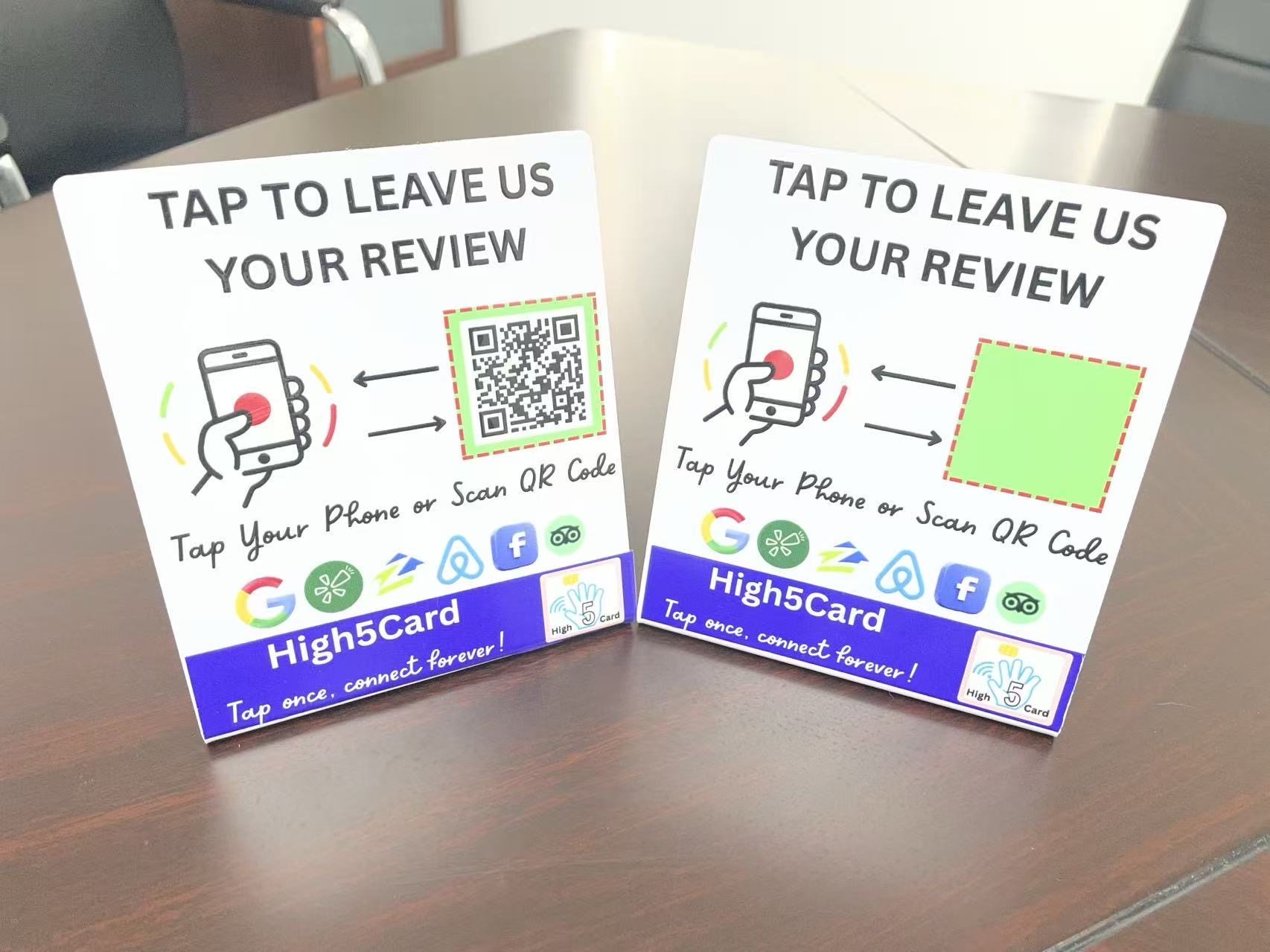
The goal is not to steer a rating or collect praise on demand. It is to make an honest review easy for any customer who wants to share one. Google lets businesses share a review link or QR code, while its rules require the review itself to reflect a genuine experience.
Use the templates below as a starting point. Replace the bracketed details, keep the language true to your business, and send the request only after the customer has had the experience you are asking about.
What every useful review request includes
The strongest templates are usually short because they do four jobs clearly: identify who is writing, thank the customer, invite an honest review, and provide the direct link. You do not need a long explanation of why reviews matter, a five-star reference, or several competing calls to action.
- A real moment: name the visit, service, order, or conversation when it helps the message feel recognisable.
- A plain thank-you: one sincere sentence is more useful than a sales pitch.
- An open invitation: ask for an honest review, not a positive review.
- One tested destination: use the direct Google review link for the correct business location.
Before using any template, get that destination right. Google explains how to create a shareable review link or QR code from a Business Profile. Our Google review QR code guide covers the same route, testing, and placement checks for a physical sign.
Keep your placeholders simple: [First name], [Business name], [service or purchase], and [review link]. If a detail does not make the request more recognisable, leave it out. A message should still make sense when read quickly on a phone, so read the finished version aloud once. If it sounds unlike the person or business sending it, remove the extra words rather than adding more polish.
A short Google review request text template
Text works well when it is already a normal way your business communicates with that customer. Keep it easy to scan and give the customer a single next step.
Hi [First name], thanks again for choosing [Business name] for [service or purchase]. If you would like to share your experience, here is our Google review link: [review link]. Thank you.
This wording does not assume the customer had a perfect experience. It makes room for their own account, which is the point of a genuine review. If you know the customer prefers a more casual tone, you can shorten it without changing the promise:
Thanks for coming by, [First name]. If you have a moment to share an honest Google review, here is the link: [review link].
Avoid adding a second ask in the same message, such as a referral request, discount offer, or social follow. The review link should be the whole job of this message. Test it on your own phone before a team uses it.

A friendly review request email template
Email gives you room to add a little context, but it still works best when the invitation appears early and the link is unmistakable. A simple subject line is enough: Thank you from [Business name].
Hi [First name],
Thank you for trusting [Business name] with [service or purchase]. We hope everything went well.
If you would like to leave an honest Google review, your feedback can help future customers understand what to expect. Here is the direct link: [review link].
Thank you for your time,
[Your name]
[Business name]
For a service that takes time to evaluate, wait until the customer has had a fair chance to experience the result. For a completed appointment or collection, the same-day follow-up may be natural. Match the timing to the real customer journey instead of treating every interaction as identical.
Do not write, “We know you loved it,” or ask the customer to mention a particular employee, rating, or phrase. The Federal Trade Commission advises businesses not to request reviews only from people they expect to be positive. A respectful request lets a customer decide whether to write and what to say.
Templates for a receipt, thank-you page, or package insert
Some customers prefer to leave a review later. A printed receipt, order follow-up, thank-you page, or package insert can keep the invitation available without putting anyone on the spot.
Thank you for choosing [Business name]. If you would like to share your experience, you can leave an honest Google review here: [short review link or QR code].
Google specifically lists receipts, thank-you emails, chat interactions, and a displayed QR code as ways to share a review request. The practical part is making the route work: scan the printed code, open the short link, and confirm that the correct business name and location appear.
For a counter or reception space, make the review route visible after the service or purchase is complete, not mixed into the payment process. The review tap card setup guide explains how to check both a physical tap and any printed QR code before customers rely on them.

An in-person script that does not feel pushy
In person, the request should be lighter than the service conversation. Say it once, point to the route if useful, then move on.
Thank you for coming in today. If you would like to share your experience, you can use the review link whenever it suits you.
That is enough. There is no need to wait while someone unlocks their phone, watches the screen, or decides on a rating. A customer who says no, changes the subject, or wants to do it later has made a valid choice.
If your team needs a reminder, teach the sequence rather than a performance: finish the handoff, make one optional invitation, show the card, stand, QR code, or link, and step back. Our guide to asking for Google reviews without feeling pushy gives more detail on timing and team habits.
For businesses that need both a tap and a scan at a counter, the Review Tap Stand guide explains how those two routes can use the same destination or different destinations. Label each route clearly when they differ.
It also helps to prepare for the ordinary replies. If a customer says they do not use Google, do not argue or try to create an account for them. If they ask for the link later, send the same approved link you use everywhere else. If their phone does not read an NFC card, offer the QR code or direct message as an alternative. Those small choices make the request feel like service rather than a test.
What to leave out of every template
A clean request protects trust. Google says reviews and other contributions must reflect a genuine experience, and its review-link guidance says incentives in exchange for reviews are prohibited. The FTC also warns against selectively asking only customers you expect to leave positive feedback.
- Do not ask for five stars, a specific rating, or specific praise.
- Do not offer a discount, giveaway entry, gift, or special treatment for a review.
- Do not send the request only to people you think are happy.
- Do not have staff, friends, or family write undisclosed reviews of the business.
- Do not pressure a customer to review while they are standing with your team.
If a customer raises a concern, address the concern first. An honest review request is not a replacement for a helpful response or a repair to the customer experience. Keeping that distinction clear makes the template safer to use and more believable to the person receiving it.

Use the template as part of a reliable review path
A template works when the rest of the path is dependable. Keep the approved review link in one place, test it after any business move or profile change, and make sure each location uses its own correct destination. If you use a QR code, test the printed version. If you use a tap product, test it with more than one compatible phone.
Create a quick team check before any request goes out: open the link in a fresh browser, confirm the business name and location, and make sure the person sending the message knows which template is current. For multi-location businesses, give every location its own saved link and a clear label. One misplaced destination can turn an otherwise thoughtful request into a frustrating customer experience.
High5Card review tools can give customers a simple physical route to the same approved review page. Browse the review tools to compare cards and counter stands, then choose the format that fits your customer handoff. A text or email can remain the backup for anyone who would rather respond later.
Start with one template, use it consistently for customers who have genuinely experienced the business, and keep the invitation open and optional. The result is a review request that feels more like a thank-you than a demand.
Frequently asked questions
What should a Google review request say?
A useful request thanks the customer, invites an honest review, and includes one direct link to the correct business profile. Keep it short, optional, and free from requests for a particular rating or wording.
Can I ask customers for Google reviews by text message?
Yes. Google says businesses can share a review link through channels such as email, WhatsApp, and Facebook, and a text can be a practical option when it is a normal way you already communicate with customers. Use a tested direct review link and let the customer choose whether to respond.
Can I offer a discount for a Google review?
No. Google says incentives, including free or discounted goods or services in exchange for reviews, are prohibited. Keep the invitation focused on an honest experience, without a reward or a request for a positive rating.
Should I ask only happy customers for reviews?
No. Asking only customers you expect to be positive can undermine trust and may conflict with review guidance. Invite customers who have genuinely used the business to share their own honest experience.
How do I get the right Google review link?
In your Google Business Profile, select Read Reviews and then Get more reviews to copy the review link or obtain a QR code. Test it in a fresh browser or on another phone to confirm that it opens the correct business location before sharing it.
Can a review request use a QR code and an NFC tap?
Yes. A QR code and an NFC tap can both lead customers to your review destination. Test each route separately, and label them clearly if they lead to different platforms or pages.