



What happens when someone taps an NFC business card?
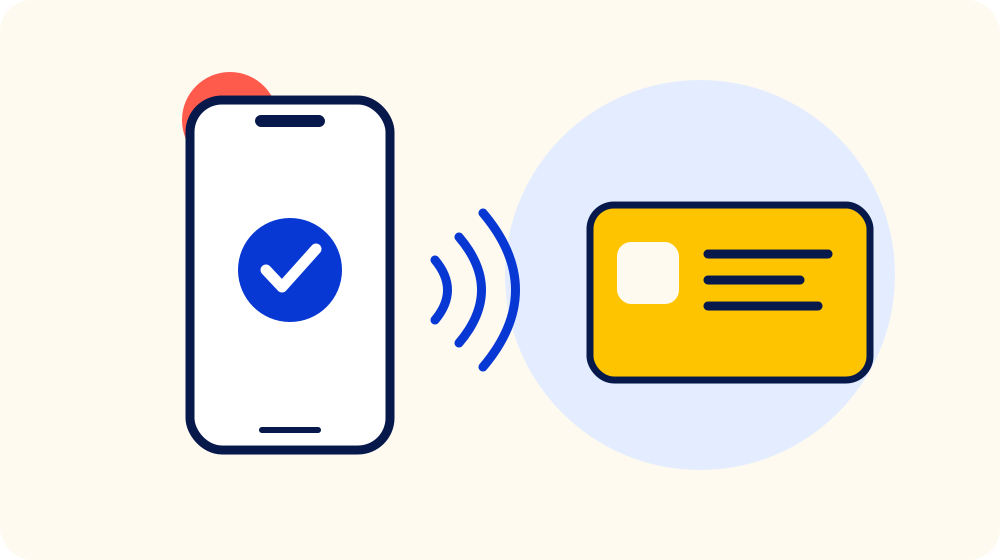
A compatible phone reads the small tag inside an NFC business card. For a card containing a website address, the phone offers to open that destination. The recipient can then view a contact page, follow a relevant link, or download contact details if the destination provides that option. A tap does not automatically place a new contact in every phone’s address book.
The phone NFC reader guide explains compatibility, settings, and where to hold the card. Read that first if your main concern is whether a device will respond. An app cannot add NFC hardware to a phone that lacks it, and a phone’s contactless payment feature does not explain every detail of reading a link tag.
The NFC Forum’s technology overview explains how short-range NFC communication works. A passive tag draws the energy for the exchange from the reading device, so the card itself does not need charging.
Should I start with a paper card or a digital contact file?
Start with whichever version contains your correct details. A paper card can be scanned as a starting point, but the extracted name, company, number, and email still need a human check. A clear photo helps the scanner; a correct-looking result is not proof that every character is right. Pay particular attention to similar letters and digits in email addresses and phone numbers.
Our paper-to-digital business card guide explains how a scanned card, VCF file, QR code, and NFC link fit together. A VCF is a contact file for importing details into a contacts app. A hosted contact link is a browser destination. Knowing which one you are sharing helps you give the recipient a clear explanation.
What should my contact page include?
Include the details a new contact needs to recognise you and take the next useful step: your name, role, company, work email, and relevant phone number. Add a website or portfolio when it helps explain your work. Keep the most useful action obvious. A busy contact should not need to search through unrelated links to find how to reach you.
Treat a public contact page as information you are willing to share beyond the room. Use work contact details where possible and leave out private documents, passwords, and information unrelated to the introduction. Check a downloaded contact file as well as the visible page. A correct name on the page does not prove that the imported email or phone number is correct.
How do I offer a tap without making the conversation awkward?
Ask before moving into a contact exchange. A short line such as “Would it help if I shared my details?” lets the other person decide. If they agree, explain that tapping the card opens your contact page. Let the recipient keep hold of their own phone and choose whether to open the prompt or save anything.
Our NFC business card networking guide walks through preparation, the conversation, and follow-up. The useful outcome is a clear route back to you after a relevant discussion. A tap is not a substitute for listening, finding common ground, or explaining what you do in a way the person can remember after the event.
What if the phone does not read my card?
Pause, check that the phone supports reading the tag, and hold the card near the device’s reading area long enough for the prompt to appear. Phone settings, cases, and antenna position can affect the exchange. Practice with more than one device before an event so the first attempt is not happening in a loud room with a waiting queue behind you.
Keep a backup appropriate to the situation. A QR code containing a website address still needs a working connection to load that page. A code that contains contact data directly has a different job and may offer an import without loading a hosted page, depending on the phone. A printed email address or a short spoken exchange can also keep a useful conversation moving when a device is uncooperative.
Android’s official NFC guide explains that devices usually look for tags while the screen is unlocked, unless NFC has been disabled in settings. Check those conditions on a compatible Android phone before retrying the card.
What should I do before and after an event?
Before leaving, open the exact link stored on your card, check your details, and test the contact download on another device. Confirm the most important action works without your own saved account or previous browsing session. Bring the physical card and your backup. If your role or phone number has changed, check the shared file as well as the visible page.
After a meeting, record the context that makes follow-up useful: what you discussed, the promised next step, and the contact method the person preferred. Sharing your card does not automatically give you their information or permission for marketing messages. Follow up on the actual conversation. Explore High5Card NFC cards when you are ready to connect your contact page to a physical card you can carry.